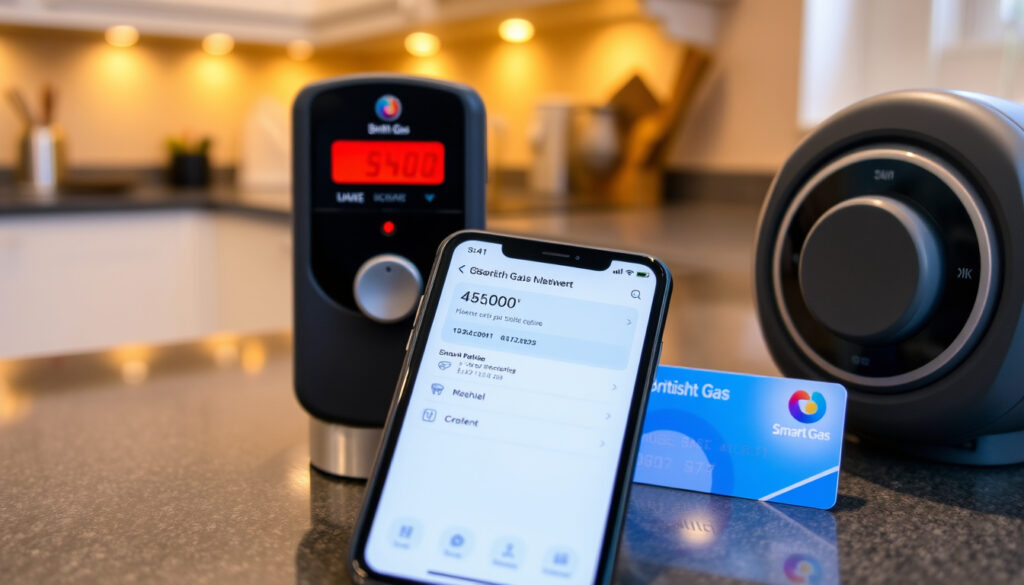
British Gas My Account: Login, Payment, App & Support
Anyone who’s tried to juggle bills, meter readings, and engineer bookings knows that having a single online account makes life simpler. British Gas my account is that hub for millions of UK households, but knowing exactly how to log in, pay, or register can still trip you up — this guide walks through every move, from first login to topping up a prepayment meter.
Account types supported: Residential, HomeCare, Lite, Business ·
Online account features: View bills, pay, manage Direct Debits, submit readings, book engineer, top up, rewards ·
Mobile app availability: iOS and Android (free download) ·
Payment methods: Direct Debit, debit/credit card, cash at PayPoint, online top-up
Quick snapshot
- British Gas online account lets you view bills, pay, manage Direct Debits, submit meter readings, and top up prepay meters (British Gas (official UK energy supplier))
- Login page is at britishgas.co.uk/identity (British Gas login portal)
- Mobile app available for iOS and Android, free to download (British Gas)
- Exact future updates to the account system after the recent migration (British Gas YouTube (official channel))
- Specific login changes for accounts that were migrated from the old system (British Gas YouTube)
- How the migration affects users who had multiple accounts linked under one previous login (British Gas YouTube)
- British Gas recently changed its account system; old app no longer works, users must download the new app (British Gas YouTube)
- Users should ensure they have the latest British Gas app and use the registered email to log in (British Gas YouTube)
5 account details, one pattern: British Gas digital services are designed to be self-service across all customer types.
| Feature | Detail |
|---|---|
| Online account availability | 24/7 |
| Account types covered | Residential, HomeCare, Lite, Business |
| Supported devices | Desktop, smartphone, tablet |
| Payment options | Direct Debit, credit/debit card, cash at PayPoint, online top-up |
| Customer support hours | Mon-Fri 8am-8pm, Sat 8am-6pm |
How do I log in to my British Gas account?
Logging in to your British Gas residential account
- Go to the British Gas login page at britishgas.co.uk/identity (British Gas login portal)
- Enter the email address registered with British Gas and your password (British Gas)
- After the recent system migration, you must use the same email you provided during registration (British Gas YouTube)
Once logged in, you can access bills, submit meter readings, manage Direct Debits, book engineer visits, and top up prepayment meters (British Gas Help & Support).
Logging in to British Gas HomeCare
- HomeCare customers can use the same credentials as their main British Gas account (British Gas)
- If you have a separate HomeCare plan login, visit the standard British Gas login page and sign in with those details
Your HomeCare account gives you access to service history, engineer booking, and cover details alongside your energy account.
Logging in to British Gas Lite
- British Gas Lite (business) customers should use the business login page (British Gas Business support)
- After registering online, use your business email and password to sign in
Troubleshooting login issues
- Forgotten password: click “Forgotten your password?” on the login page and follow the reset link sent to your email or SMS (British Gas)
- If the old app no longer works, download the new British Gas app from the App Store or Google Play (British Gas YouTube)
Bottom line: British Gas accounts now require the new app and the email you registered with. Residential customers: use the standard login. HomeCare and Lite: same or business portal. Reset via email if stuck.
The recent system change means relying on old bookmarks or the previous app will lock you out. Updating your app and remembering your registered email is the only way in.
The implication: a single login covers most services, but migrants and Lite users need extra attention to the correct portal.
How can I pay my British Gas bill?
Paying by Direct Debit
- Direct Debit is the most common payment method and can be managed from your online account (Payzone (payment services provider))
- To change your Direct Debit amount or date, log in and update your payment settings
Making a one-off card payment online
- You can pay by debit or credit card through your online account (Payzone)
- Alternatively, use the British Gas app to make a quick card payment
Topping up a prepayment meter
- Top up online via your account, through the app, or at any PayPoint outlet using your top-up card
- You can also top up by calling the automated payment line at 0333 202 9524 (available 24 hours) (Payzone)
Using the mobile app to pay
- The British Gas app allows you to pay bills and top up on the go
- You can view payment history and set up recurring payments directly in the app
For internet banking payments, use sort code 400530 and account number 71584685, quoting your British Gas customer account number (Payzone).
Direct Debit requires advance planning but avoids late fees. One-off card payments give flexibility but require remembering to pay each month. Prepayment customers have the most control but need to top up regularly.
The catch: with four payment methods available, the choice comes down to whether you prefer automation (Direct Debit) or manual control (card/top-up).
How do I register for a British Gas online account?
Requirements for registration
- You need an active British Gas energy or service account (residential, HomeCare, or business) (British Gas)
- Have your account number, email address, and recent bill handy
Step-by-step registration process
- Go to the British Gas login page and click “Register”
- Enter your account number and the email address linked to your account
- Set a password and choose security questions
- Verify your email address by clicking the link sent to your inbox (British Gas Help & Support)
Linking a HomeCare or Lite account
- After registration, you can link your HomeCare or Lite account by logging in and selecting “Manage” then “Add energy accounts” (British Gas Business support)
- Enter the account number and postcode to link additional services
Registration typically takes less than 10 minutes. Once verified, you gain full access to bills, payments, meter readings, and engineer bookings.
The implication: one registration can cover multiple British Gas products, but you must have an existing active account to start.
What is the British Gas mobile app?
App features overview
- View and pay bills, submit meter readings, manage Direct Debits, book engineer visits, and top up prepayment meters (British Gas)
- Earn Nectar points on eligible payments
- Receive push notifications for bill reminders and appointment confirmations
Downloading and installing the app
- Free to download from the App Store (iOS) and Google Play (Android)
- After downloading, log in with your British Gas account email and password
Logging in with fingerprint or face ID
- The app supports biometric login (Touch ID, Face ID, fingerprint) for quicker access (British Gas YouTube)
- Enable biometrics in the app settings after your first login
If you were using the old British Gas app, you must download the new one — the old version no longer works (British Gas YouTube).
The pattern: British Gas is pushing digital self-service aggressively; the app is now the primary gateway for most account actions.
What is the British Gas account phone number?
General customer service number
- General enquiries: 0333 202 9802 (Payzone)
- Hours: Monday–Friday 8am–8pm, Saturday 8am–6pm, closed Sunday (Payzone)
HomeCare support number
- HomeCare customers: 0330 100 5050 (British Gas)
Lite and business support number
- British Gas Lite and other business accounts: 0330 100 5050 (same as HomeCare) (British Gas Business support)
Prepayment and top-up queries
- Automated payment line: 0333 202 9524 (available 24 hours) (Payzone)
- You can also manage top-ups through the app or online account
For moving home, British Gas recommends reading your meters on moving day and submitting those readings to ensure you only pay for the energy you used
The trade-off: phone support offers human help but limited hours; digital channels are available 24/7 but require self-service.
Step-by-step guide to managing your British Gas account
- Log in — Visit britishgas.co.uk/identity or open the new British Gas app. Use your registered email and password. Enable biometrics for faster access.
- Pay a bill — From your dashboard, select “Make a payment”. Choose Direct Debit (most common), card, or top-up. You can also pay via internet banking using sort code 400530 and account number 71584685 (Payzone).
- Submit a meter reading — Click “Submit meter reading”, enter your gas and electricity numbers, and confirm. British Gas will amend readings only if the difference exceeds 250 units (British Gas YouTube).
- Book an engineer — Go to “Book an engineer” for annual service or repairs. Available for HomeCare and residential customers.
- Top up a prepayment meter — Use the app, online account, or visit a PayPoint with your top-up card. You can also call 0333 202 9524 (Payzone).
- Update personal details — Navigate to “My details” to change your email, phone number, or address. You’ll need to confirm via email.
- Switch to paperless billing — In account settings, opt for e-bills to reduce clutter and get instant notifications.
Why this works: each step is accessible from a single dashboard — no need to call for routine tasks.
Clarity check: what’s confirmed and what’s still fuzzy
Confirmed facts
- British Gas offers online account management for residential, HomeCare, Lite, and business customers (British Gas)
- The mobile app is available for iOS and Android (App Store, Google Play)
- Payment methods include Direct Debit, debit/credit card, cash at PayPoint, and online top-up (Payzone)
- Customer support hours are Monday–Friday 8am–8pm, Saturday 8am–6pm (Payzone)
What’s unclear
- Exact roadmap for future account system updates (British Gas YouTube)
- Specific changes to login process for migrated accounts beyond the app switch (British Gas YouTube)
- How meter reading amendments are handled for differences under 250 units (British Gas YouTube)
“Your online account allows you to view and pay bills, manage Direct Debits, submit meter readings, and top up.”
— British Gas Help & Support (British Gas)
“Log in to your account to see your bills, send meter readings, manage your account.”
— British Gas login page (British Gas login portal)
For UK households on a British Gas account, the choice is clear: use the online account for self-service or rely on phone support for complex queries. The digital route saves time, but knowing the right steps — and the right numbers when you need them — makes all the difference. The takeaway for British Gas customers: embrace the new app and keep your registered email handy, or risk getting stuck on hold.
For more account management guides, see Hotmail Sign-In: Access Your Legacy Inbox & Fix Login Errors and NS&I Premium Bonds Guide: Check Prizes, Validity & Contact.
youtube.com, britishgas.co.uk, studocu.com, gw.humane.edu.ec
If you need help logging in, the British Gas My Account login guide provides detailed steps.
Frequently asked questions
Can I log in with my email address?
Yes. You must use the email address you registered with British Gas. That email is your username (British Gas YouTube).
What should I do if I cannot remember my password?
Click “Forgotten your password?” on the login page. British Gas will send a reset link to your email or SMS (British Gas).
How do I change my Direct Debit details?
Log in to your account, go to “Payments” or “Direct Debit”, and update the amount or date. Changes take effect on the next billing cycle (Payzone).
Can I view past bills online?
Yes. Your online account stores up to 12 months of past bills and payment history (British Gas).
How do I book an engineer through my account?
Log in and select “Book an engineer” from the dashboard. Choose a date and time slot for annual service or a repair visit (British Gas).
Is the British Gas app secure?
Yes. The app uses encryption and supports biometric login (fingerprint or face ID) to protect your account (British Gas YouTube).
How long does it take to register for an online account?
Registration takes about 5–10 minutes. You’ll need your account number and a valid email. After verifying your email, you can access all features immediately (British Gas).
More related posts
 Jessica Reynolds: Age, Biography, and Career Highlights
 Natalia Grace: Verified Facts, Timeline, and Key Questions
 Colin Jost: SNL Career, Scarlett Johansson, and Family Life
 Tom Daley: Body Dysmorphia, Family, and Olympic Career
 Gisele Pelicot: Latest Verified Facts and Trial Updates
 Quality Street Paper Tubs – Tesco Trial Details 2024
 Jade Scott: The Traitors Bio, Age, PhD, Ethnicity & Family
 Stephanie Vaquer: WWE Women’s World Champion Career Timeline