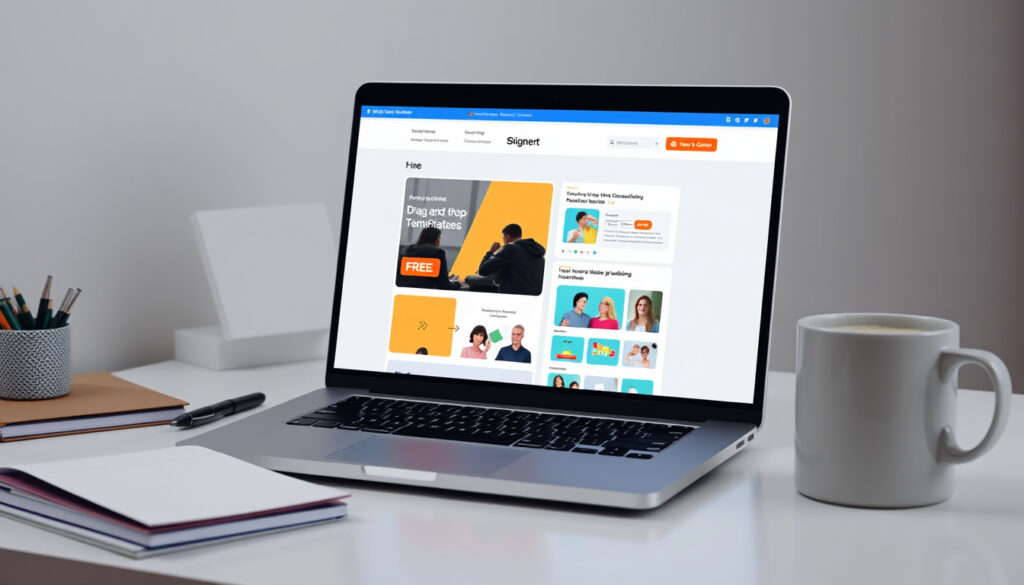
How to Create a Website for Free: Complete Beginner Guide
You’ve got an idea burning in your head. Maybe it’s a side project, a portfolio, or the business you’ve been sketching in notebooks. The tricky part used to be turning that sketch into something live on the internet — and that barrier just got dramatically lower. AI website builders now let anyone generate a working website in minutes, no code required, and many platforms let you start completely free. This guide walks you through exactly how to create a website from scratch, with the free and AI-assisted paths given priority for beginners who don’t want to invest money upfront.
Free website builders: Canva, Wix, Google Sites · AI tools for websites: ChatGPT, Wix AI · Custom code option: HTML · Essential pages: 12 minimum · Design rules: 5 golden rules
Quick snapshot
- Free builders exist (Titan guide to free AI builders)
- WebWave generates sites in 3 minutes (WebWave AI builder)
- Wix uses a 4-step AI process (Wix AI website builder)
- Exact 2026 costs across all platforms
- Long-term reliability of free tiers
- Support quality for free users
- Pre-2020s: coding expertise or developers required
- Early 2020s: AI builders emerge as accessible alternative
- 2026: sub-10-minute creation becomes standard
- AI customization depth will likely expand
- Free tier feature sets may grow competitive
- Migration options could improve across platforms
The following table summarizes the key data points verified from authoritative sources on AI website builders.
| Field | Value |
|---|---|
| Top free tools | Canva, Wix, Google Sites |
| AI capable | ChatGPT for code generation |
| Design essentials | 5 golden rules |
| Must-have pages | 12 pages minimum |
| WebWave generation time | 3 minutes |
| Wix AI steps | 4 steps to launch |
How can I build my own website for free?
Building a website for free is more accessible than ever, with multiple pathways depending on your technical comfort and design expectations. The options range from fully managed builders with AI assistance to manual code generation with AI help.
Using Google Sites
Google Sites remains one of the simplest free options for personal or small business websites. It offers drag-and-drop editing, unlimited storage on Google Drive, and seamless integration with other Google services. You get a free subdomain ending in sites.google.com, though custom domains require a paid Google Workspace plan.
Google Sites works well for internal team pages, project portfolios, and temporary event pages where professional branding isn’t a priority.
Canva and Wix free plans
Canva provides customizable templates specifically designed for website landing pages, with the advantage that users already familiar with Canva’s design tools can build without learning a new interface. Wix offers over 2,000 templates through its free tier, allowing users to select industry-specific designs and customize them through a visual editor (according to Titan’s guide to free AI website builders).
Steps for beginners
- Choose a platform matching your technical comfort level
- Select a template or let AI generate a starting point
- Customize with your content, images, and branding
- Add essential pages (home, about, contact minimum)
- Publish and test on multiple devices
The implication: Free plans work well for testing ideas and establishing a basic digital presence, but you’ll eventually encounter limitations that require upgrading or switching platforms.
Is it free to own a website?
Ownership costs depend on your requirements. The base platform may be free, but several components typically require payment as your website grows.
Free builders vs domain costs
Most free website builders provide a subdomain (like yourname.wixsite.com) at no cost. A custom domain — the yourbusiness.com address that looks professional — usually costs between $10–$20 annually through registrars like GoDaddy or Namecheap.
Limitations of free plans
- Platform branding displayed on your site
- Storage and bandwidth caps
- Limited e-commerce features
- No custom analytics integration
- Restricted design customization
Free plans make sense for hobbyists and early-stage testers. Once you need a custom domain or e-commerce capabilities, budgeting $100–$300 annually for hosting, domains, and premium features becomes realistic.
What this means: “Free” typically means free-to-start, not free-forever. Factor in domain registration costs ($10–$20/year) plus optional premium features based on your actual needs.
How much does a website cost?
Website costs in 2026 span a wide range depending on the builder you choose, your design requirements, and whether you hire help or DIY.
2026 cost projections
According to GoDaddy’s analysis on website costs, a basic DIY website through a builder runs $60–$300 per year when accounting for domain registration and mid-tier plans. More advanced setups with e-commerce, custom designs, or marketing integrations can reach $500–$5,000+ annually.
Builder pricing tiers
- Free tier: Basic features, platform subdomain, limited storage
- Starter/Basic ($5–$15/month): Custom domain, remove platform ads, essential features
- Professional ($20–$45/month): Advanced analytics, marketing tools, priority support
- Business/E-commerce ($30–$100+/month): Payment processing, inventory management, custom integrations
For beginners, $0–$15/month covers most needs. Budget-conscious creators can start free and upgrade only when their site generates revenue or requires features they can’t live without.
The trade-off: The cheapest path involves accepting platform limitations and branding. The professional path unlocks control but requires ongoing financial commitment.
What are the five golden rules of web designing?
Good website design follows principles that improve user experience and keep visitors engaged. The 5-second rule — testing whether visitors grasp your site’s purpose within 5 seconds of landing — ties directly into these guidelines.
Rule breakdowns
- Clarity over creativity: Visitors should immediately understand what your site offers. Use clear headlines and minimal distractions.
- Mobile-first layout: Over 60% of web traffic comes from mobile devices. Your design must work well on smaller screens first.
- Fast load times: Every second of delay reduces conversions. Optimize images and minimize scripts that slow rendering.
- Consistent navigation: Users expect menus in predictable locations. Confusing navigation drives visitors away.
- Strong call-to-action: Every page should guide visitors toward a specific action — signing up, purchasing, or contacting you.
Application to beginners
Most modern website builders enforce these rules by default through responsive templates and built-in optimization. When using AI builders, review the generated site against these principles and adjust layout or content where the AI output doesn’t align with your specific audience’s expectations.
The pattern: Professional-looking websites don’t require professional designers. Following these five rules while using quality templates puts your site ahead of most competitors.
Can ChatGPT build a website?
ChatGPT won’t build a visual website directly, but it excels at generating the code and content that power custom sites. Using it alongside builders gives you the best of both worlds.
Step-by-step with ChatGPT
- Describe your website’s purpose and key pages to ChatGPT
- Request HTML/CSS structure or specific component code
- Ask for placeholder content and copy variations
- Request JavaScript functionality for interactive elements
- Copy the generated code into your builder or hosting platform
Combining with builders
YouTube tutorials demonstrate that users have built professional websites in under 8 minutes using AI tools and zero coding skills. The process combines ChatGPT for content and structure with visual builders like Wix or WebWave for layout and publishing.
AI-generated code requires human review. ChatGPT may produce outdated HTML practices, accessibility issues, or layout inconsistencies that need correction before publishing.
Why this matters: ChatGPT works best as a content and code assistant, not a complete website builder. Pair it with platforms that handle hosting, security, and mobile optimization while you focus on customization.
Essential pages every website needs
A complete website requires more than a landing page. According to KnownHost’s guide to essential website pages, at least 12 pages should form the backbone of a professional business website.
- Home — Clear value proposition and primary call-to-action
- About — Your story, mission, and team background
- Services/Products — What you offer with clear descriptions
- Pricing — Transparent costs or a path to request a quote
- Contact — Multiple contact methods and physical location if applicable
- Blog — Regular content for SEO and audience engagement
- FAQ — Answers to common questions reducing support burden
- Privacy Policy — Legal requirement in most jurisdictions
- Terms of Service — Legal protection and user expectations
- Testimonials/Reviews — Social proof from satisfied customers
- Portfolio/Case Studies — Evidence of your work quality
- Sitemap — Helps search engines index your content
The implication: Beginners shouldn’t try to build all 12 pages immediately. Start with Home, About, Contact, and Services — then add others as your content library grows.
Quotes from the field
Anyone can design, build, and launch a full-fledged customized website for their brand, business, or personal use.
— Titan (Technology publication, AI website builder guide)
You need only describe your business, and the AI will create a uniquely crafted website to cater to your business’s needs.
— WebWave (AI website builder platform)
The powerful AI website-building tools do not require any coding or a technical learning curve.
— Titan (Technology publication, AI website builder guide)
Bottom line
Free and AI-assisted website creation has eliminated the technical barriers that once required hiring developers. Platforms like WebWave generate complete websites in 3 minutes, while Wix’s AI process takes 4 steps to launch. Beginners with zero coding knowledge can now publish professional-quality sites using free tiers from Canva, Wix, Google Sites, or dedicated AI builders. The path forward is clear: start free to validate your idea, follow the 5 golden design rules, and upgrade only when your site demands features that justify the investment.
Related reading: Best Laptops for Students UK · Income Tax Calculator UK
While mastering builders like Wix or Google Sites, many newcomers benefit from complete free beginners guide that outlines extra no-cost strategies and tips.
Frequently asked questions
How to create a website using HTML?
Create a new file with a .html extension, write your HTML structure using tags like <html>, <head>, and <body>, add CSS in a <style> block or separate .css file, then upload to web hosting. ChatGPT can generate the initial code for you to customize.
How to create a website on Google?
Go to sites.google.com, sign in with your Google account, click the “+” button to create a new site, choose a template or start blank, customize your pages, and publish. Your site gets a free .sites.google.com subdomain.
What is the 5 second rule for websites?
The 5-second rule tests whether visitors can grasp your site’s main purpose within 5 seconds of arrival. If they can’t, your headline, layout, or value proposition needs simplification. This principle guides effective web design by prioritizing clarity.
Can you build a website with Salesforce?
Salesforce offers Experience Cloud (formerly Community Cloud) for building customer-facing sites, but it’s enterprise-focused and requires paid Salesforce subscriptions. It’s not a practical choice for small business or personal websites compared to dedicated builders.
What should every website include?
Every website needs at minimum: a clear homepage with value proposition, about page, services or products page, contact information, and essential legal pages (privacy policy, terms). As it grows, add blog, testimonials, FAQ, and portfolio sections.
How to create a website for business for free?
Use free tiers from Wix, Canva, or Google Sites for your initial business website. Canva works well for portfolio-style businesses, Wix offers more e-commerce features, and Google Sites suits service businesses needing simple contact pages. Upgrade to paid plans only when you need custom domains or payment processing.
How to create a website for beginners?
Beginners should start with Wix, Canva, or Google Sites — all offer free tiers with visual drag-and-drop editors. Pick a template, customize with your content, add essential pages, and publish. AI builders like WebWave can accelerate the process by generating initial content automatically.
More related posts
 DWP WASPI Pension Compensation – Latest Status and Updates
 Harry Potter Quiz: Which House Are You? Free Sorting & Trivia
 Jessica Reynolds: Age, Biography, and Career Highlights
 Glasgow Royal Concert Hall Tickets 2026: Seating & Events
 Internal Doors Ireland: Costs, Materials & Fitting
 Mick Jagger: Health, Net Worth & Family Facts
 Power Book III: Raising Kanan Episodes – Full Seasons Guide
 Best Running Shoes in Ireland: Top Picks and Buying Guide 2026