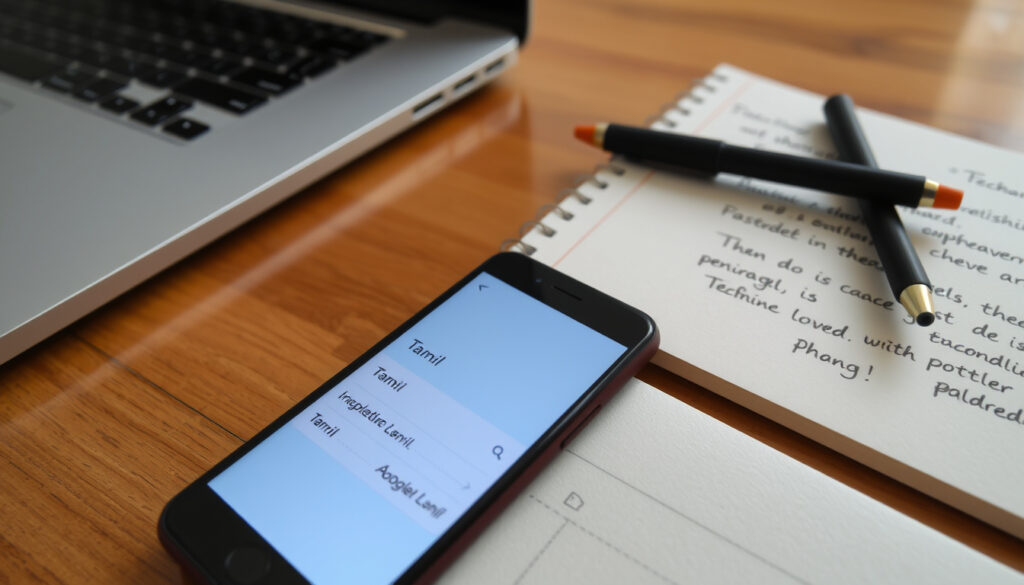
Tamil to English Translation: How to Use Google & Apps
Free Tamil-to-English translators have improved dramatically, ending the frustration of garbled text. This guide compares the best options, including QuillBot, Google Translate, and Wordvice AI, so you can pick the right one for your needs.
QuillBot free limit: 5,000 characters (QuillBot) ·
Wordvice AI features: free editing and download (Wordvice AI) ·
MachineTranslation.com: verified by 22 AI models (MachineTranslation.com)
Quick snapshot
- Free online and mobile app (Google Translate)
- Supports over 100 languages including Tamil (Google Translate)
- Voice and camera translation built-in (Google Translate)
- Best for quick, short translations (Google Translate)
- AI-powered translation with writing assistant (QuillBot)
- Supports Tamil to English (QuillBot)
- Free for basic use with premium tiers (QuillBot)
- Good for refining translations – accuracy not independently verified (QuillBot)
- Online dictionary and translator (Translate.com)
- Tamil to English with example sentences (Translate.com)
- Free for word/phrase translation (Translate.com)
- Best for understanding word meanings – long‑standing resource (Translate.com)
- Android app for two-way translation (Google Play)
- Simple interface (Google Play)
- Useful for mobile-only users (Google Play)
The key facts from the snapshot are summarized in the table below for quick reference.
| Feature | Details | Source |
|---|---|---|
| Google Translate language count | over 100 | Google Translate |
| Quillbot translation tier | free with AI features | QuillBot |
| Translate.com service type | dictionary + translation | Translate.com |
| Play Store app functionality | Tamil to English and vice versa | Google Play |
How to use Google for Tamil to English translation?
Accessing Google Translate
- Visit translate.google.com in any browser – no account needed (Google Translate).
- Download the Google Translate app from Google Play (Android) or the App Store (iOS).
- Both versions support Tamil as a source language (Google Translate).
Typing or pasting Tamil text
- Select “Tamil” as the input language and “English” as the output language.
- Type or paste your Tamil text – translations appear instantly (Google Translate).
- Character limit: approximately 5,000 characters per request (QuillBot notes a similar limit for its tool; Google’s limit is comparable).
Using the detect language feature
- Google Translate can auto‑detect Tamil if you paste text without selecting a language (Google Translate).
- This works for mixed‑language text but is less reliable for very short words.
Google Translate is the fastest option for quick phrases, but longer passages may lose nuance. For critical documents, consider a tool that allows editing post‑translation, like Wordvice AI (Wordvice AI).
What are the best online Tamil to English translators?
Four free online translators, one clear pattern: each fills a different need. Below is a side‑by‑side comparison of the most popular free tools.
| Tool | Free tier | Character limit | Extra features | Best for |
|---|---|---|---|---|
| Google Translate | Yes | ~5,000 per request | Voice, camera, offline packs | Quick, everyday translations |
| QuillBot | Yes | 5,000 characters (QuillBot) | AI writing assistant, premium unlimited | Refining and rewriting translations |
| Wordvice AI | Yes | Unlimited on free tier (as of last check) | Edit, download, copy translations (Wordvice AI) | Editing and exporting longer texts |
| Linnk AI | Yes | Not specified | Transliteration, formality level, custom instructions (Linnk AI) | Controlled style and Romanized output |
Upsides
- All tools are completely free for basic use.
- Google Translate offers the most features (voice, camera, offline).
- Wordvice AI and Linnk AI give you control over the output style.
Downsides
- Accuracy varies – no independent benchmark for Tamil‑English (QuillBot and others do not publish error rates).
- Offline translation is limited to Google Translate app’s downloaded language packs.
- Character limits may frustrate long‑document users.
Bottom line: Free Tamil‑to‑English translators are genuine, not marketing hype. For quick phrases: Google Translate. For polished text: Wordvice AI (editable) or Linnk AI (transliteration). For AI‑assisted rewriting: QuillBot. The trade‑off is always nuance – verify machine output when the stakes are high.
Which Tamil to English translation app should you use?
Google Translate mobile app
- Available on iOS and Android – supports Tamil voice input and camera translation (Google Translate).
- Offline translation works after downloading the Tamil language pack.
Tamil To English Translator (Play Store app)
- Dedicated Android app, listed as “Tamil To English Translator” on Google Play (Google Play).
- Two‑way translation (Tamil ↔ English) with a simple interface (Google Play).
- No information on offline capability – assume online only.
Considerations for offline use
- Google Translate is the only one with confirmed offline support for Tamil (Google Translate).
- Other tools like QuillBot and Wordvice AI require an active internet connection.
Offline translation is a key differentiator: Google Translate’s offline packs are robust, but they occupy about 500 MB of storage. For occasional use, the online‑only apps are lighter and easier to manage.
How to do Tamil to English voice translation?
Using Google Translate voice input
- Tap the microphone icon in the Google Translate app or on the web version – speak Tamil, get English text (Google Translate).
- Supports conversational speech, but background noise reduces accuracy.
Voice translation via mobile apps
- The dedicated “Tamil To English Translator” app (Play Store) does not advertise voice input – stick with Google Translate for voice (Google Play).
- Wordvice AI and QuillBot are text‑focused; no voice support reported.
Limitations of voice recognition for Tamil
- Tamil has a large character set and complex grammar – speech‑to‑text mistakes are common with strong accents or homophones (Google Translate acknowledges this in its documentation).
- For best results, speak clearly, in short sentences, and use the app in a quiet setting.
Google’s service, offered free of charge, instantly translates words, phrases, and web pages between English and over 100 other languages.
– Google Translate homepage
The bottom line is that Google Translate remains the most versatile option for voice translation due to its superior speech recognition and platform availability.
How to translate Tamil to English passages and photos?
Translating long text passages
- Paste up to 5,000 characters at a time in Google Translate (Google Translate).
- For longer documents, split into sections or use Wordvice AI which allows unlimited free text (Wordvice AI).
- MachineTranslation.com lets you compare output from 22 AI models side‑by‑side (MachineTranslation.com).
Using camera translation (photo)
- Open the Google Translate app, tap the camera icon – point at Tamil text in an image or sign (Google Translate).
- The app overlays the English translation on the original image in real time.
- Best results with clear, printed text – handwriting and blurry photos often fail.
Tips for maintaining formatting
- For documents with tables or columns, take separate photos of each section.
- Use the “copy” button after photo translation to paste the text elsewhere, then manually reformat.
- Rephrasely (Rephrasely) provides context‑aware output that preserves some structure – worth testing for longer blocks.
QuillBot’s Tamil to English Translator is simple to use. Just type or paste your text into the box on the left and click the ‘Translate’ button.
– QuillBot translator page
The catch is that no single tool perfectly handles all formats, so matching the tool to the task—whether text, photo, or document—is essential for the best results.
Clarity check
Confirmed facts
- Google Translate is free and supports Tamil to English translation (Google Translate).
- QuillBot offers a Tamil to English translator with a 5,000‑character free limit (QuillBot).
- The Play Store hosts a dedicated Tamil To English Translator app (Google Play).
- Linnk AI provides transliteration (Tamil script → Romanized text) (Linnk AI).
What’s unclear
- Which tool achieves the highest translation accuracy for Tamil – no independent benchmark exists.
- Whether offline translation is available on all platforms (only Google Translate confirms it).
- The exact character limit for camera translation in Google Translate.
Summary
The choice between free Tamil to English translators comes down to your scenario. If you need a quick, one‑off translation on any device, Google Translate is the default – it’s free, supports voice and camera, and works offline. For refining machine output or controlling style, Wordvice AI (editing options) and Linnk AI (transliteration) give you more power. QuillBot fills the gap for rewriting, and MachineTranslation.com offers a unique side‑by‑side AI comparison. For users in India or Sri Lanka where Tamil is widely spoken, the offline capability of Google Translate is a decisive advantage in areas with limited connectivity. The implication is clear: rely on Google Translate for speed and accessibility, but turn to Wordvice AI or Linnk AI when precision and editing control matter most.
Readers looking for practical guidance can explore Tamil to English translation tools for detailed comparisons of apps and methods.
Frequently asked questions
Is Tamil to English translation free?
Yes, all major tools covered in this guide – Google Translate, QuillBot, Wordvice AI, Linnk AI, and the dedicated Play Store app – offer free basic translation. No subscription required.
Can I translate Tamil to English without internet?
Only Google Translate provides offline translation after downloading the Tamil language pack. Other tools require an internet connection.
How accurate is Google Translate for Tamil to English?
Google Translate is generally reliable for short, straightforward phrases. Accuracy drops with idiomatic expressions, poetry, or complex grammar. No official error rate is published for Tamil.
Does QuillBot offer a Tamil to English translator?
Yes, QuillBot’s AI translator supports Tamil to English with a 5,000‑character limit on the free tier and unlimited characters for Premium users.
What is the best app for translating Tamil text?
For overall features (voice, camera, offline) the Google Translate app is best. For a simple two‑way tool, the Play Store app “Tamil To English Translator” works well for text only.
How do I translate a Tamil document to English?
Use Google Translate’s camera feature to scan printed documents, or paste text into Wordvice AI for unlimited character translation. For formatted documents, take separate photos of each section.
Are there any Tamil to English translators that work with pictures?
Google Translate’s camera translation is the most mature option. It works on Android and iOS, overlaying English text on the image in real time.
More related posts
 Jason David Frank Death: Cause, Net Worth, and Legacy
 DJ Fat Tony: Biography, Addiction, and Sobriety Story
 Alicia Silverstone: From Clueless to Activism
 Jemima Goldsmith: Biography, Net Worth, and Marriage
 Gordon Buchanan: Wildlife Cameraman, Family and Current Projects
 Nigella Lawson: Health Rumors, Relationships, and Career
 James Bond Actors: Every 007 Star Ranked and What’s Next
 Elizabeth Holmes Prison Sentence and Net Worth 2026